
Step by step
1. What Ask does
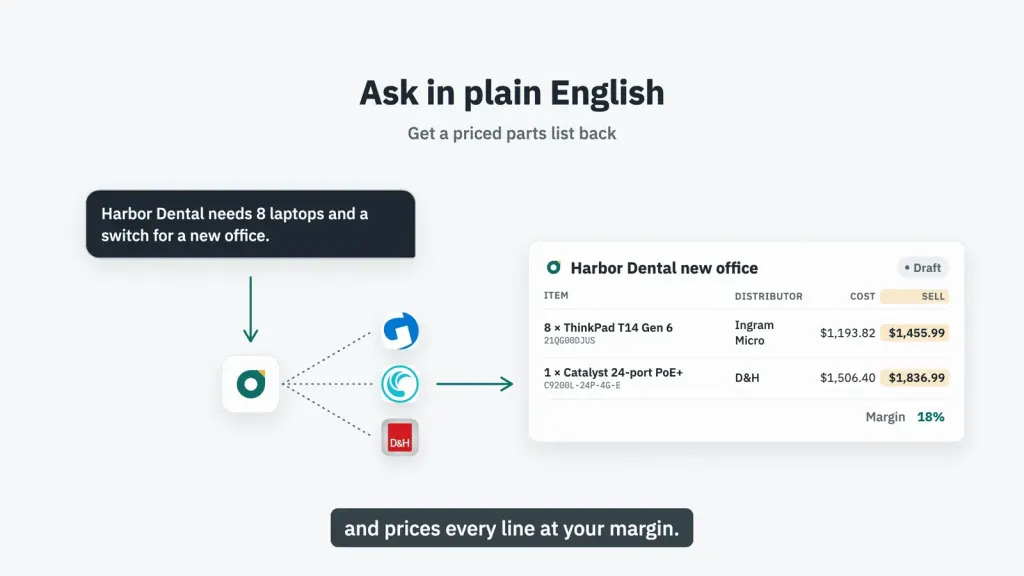
You describe the job the way your client said it. Oakcrane searches your connected distributors, picks a product for each item, and builds a draft parts list with cost and sell on every line.
2. Type your request
Click Ask in the sidebar. Type the request into the box at the bottom and press Enter. For example:
"Build a parts list for Harbor Dental: 8 ThinkPad T14 Gen 6 laptops and a Cisco Catalyst 24-port PoE switch for their new office."
Name the client and Oakcrane links the list to them.
3. Watch each step
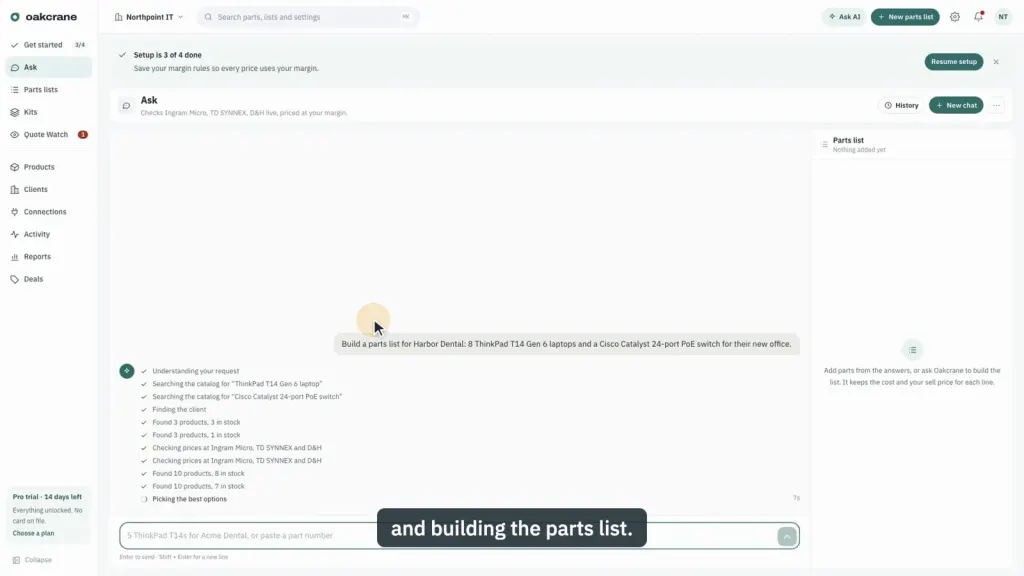
You can watch each step as it works: understanding your request, searching the catalog, finding the client, checking prices at Ingram Micro, TD SYNNEX and D&H, and building the parts list.
4. Review the picks
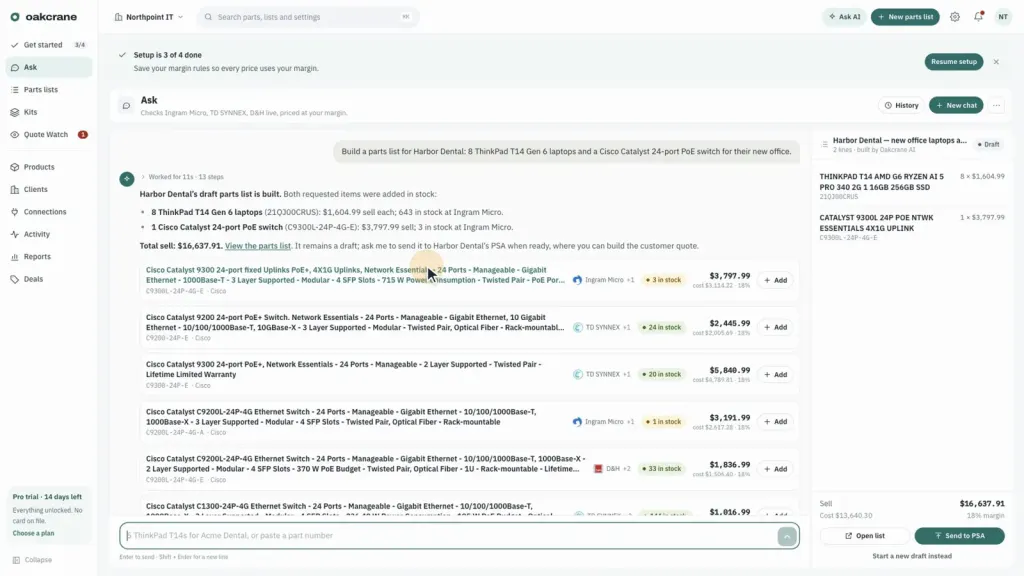
The answer leads with what it picked. For each item you get the part number, your sell price, the stock and the distributor it comes from. If anything is swapped, out of stock or not found, the answer says so, so nothing slips through.
Below the answer, product cards show the other options it found, each with sell price, cost and margin, a stock pill and an Add button.
On the right, the parts list is already built and linked to the client, with the totals and your margin. Use Open list to edit it, or Send to PSA when it's ready.
5. Adjust the list
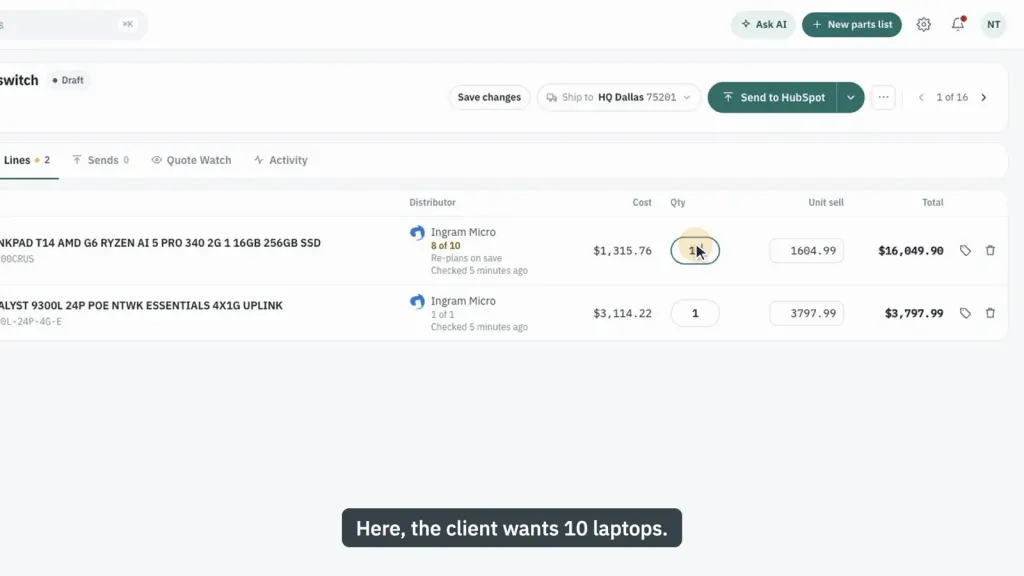
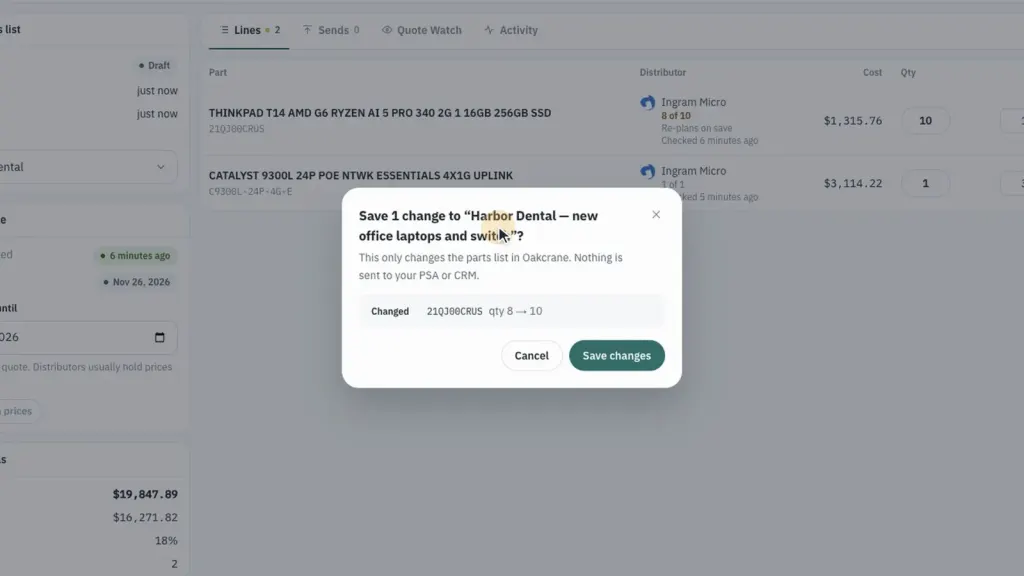
Click Open list to adjust it like any other parts list. Say the client now wants 10 laptops: change the quantity and the totals update.
6. Save it
Click Save changes. The confirm dialog shows what changed and notes that nothing is sent to your PSA or CRM. Click Save changes again. The list is ready to send to your PSA whenever you are.
Tips
- Be specific about model and size when it matters, for example "24-port PoE switch" rather than "a switch".
- Check the answer's notes on swaps and stock before you send. They tell you what changed from your request.
Questions
Does Ask make up part numbers?
No. Ask only uses real part numbers it finds in your distributors' catalogs, priced live from your own accounts.
Will Ask send anything to my PSA on its own?
No. Ask builds a draft. Nothing goes to your PSA until you send the list and confirm.
What if a part is out of stock?
Ask tells you in the answer. It may swap in an in-stock alternative and says when it did, so you can change it back.
Transcript
0:03Ask turns a request in plain English into a priced parts list.
0:07Oakcrane finds real part numbers, checks your distributors live, and prices every line at your margin.
0:13You review what it picked, and change anything you like.
0:17Nothing goes to your PSA until you send it.
0:22Open Ask from the sidebar.
0:27Type the request the way your client said it.
0:31Build a parts list for Harbor Dental: eight ThinkPad laptops and a Cisco PoE switch for their new office.
0:39You can watch each step as it works.
0:41Finding the client, searching your distributors, and building the parts list.
0:51The answer leads with what it picked.
0:54For each item, the part number, your sell price, the stock, and the distributor it comes from.
1:00If anything is swapped, out of stock, or not found, it tells you, so nothing slips through.
1:09On the right, the parts list is already built, linked to Harbor Dental, with the totals and your margin.
1:18Want to change something?
1:20Open the list, and adjust it like any other parts list.
1:26Here, the client wants 10 laptops.
1:29Change the quantity, and the totals update.
1:40Save it, and it's ready to send to your PSA whenever you are.
1:47Next, save the builds you quote again and again, with kits.


