
Step by step
1. Check your plan and usage
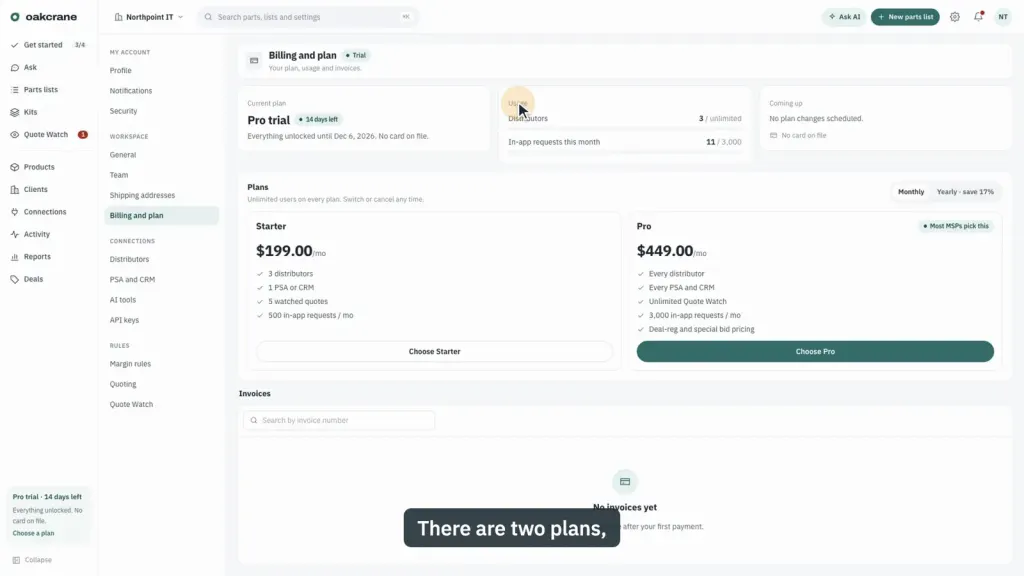
Open Settings, then Billing and plan under Workspace.
- Current plan shows your plan, any trial days left and when it renews or ends.
- Usage shows connected distributors and in-app requests this month against your plan's limits.
- Coming up shows any scheduled plan change and the card on file.
You need the Manage billing permission to change the plan. Admins have it by default.
2. Compare plans
Under Plans there are two: Starter and Pro. Use the Monthly and Yearly switch to see each price. Yearly saves 17%.
- Starter: 3 distributors, 1 PSA or CRM, 5 watched quotes and 500 in-app requests a month.
- Pro: every distributor, every PSA and CRM, unlimited Quote Watch, 3,000 in-app requests a month, and deal-reg and special bid pricing.
Every plan has unlimited users. Click Choose Starter or Choose Pro to subscribe. Upgrades and switches show what you'll pay before you confirm.
3. Find your invoices
Invoices show up under Invoices after your first payment. Use the menu on each row to Download PDF or Open invoice.
To pause or cancel, open the menu at the top of the page and choose Cancel or pause plan. Cancelling keeps everything working until the end of the period.
4. Create an API key
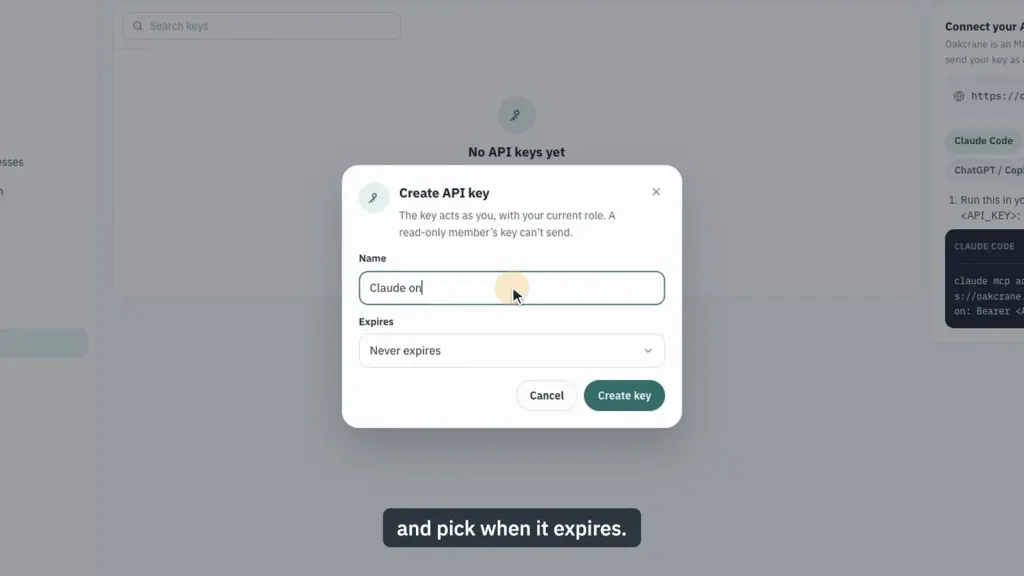
Open Settings, then API keys under Connections, and click Create API key.
Each key acts as you, with your current role. A read-only member's key can't send to the PSA.
- Under Name, describe where it's used, for example "Claude on my laptop".
- Under Expires, pick 30 days, 90 days, 1 year or Never expires.
- Click Create key.
5. Copy your key now
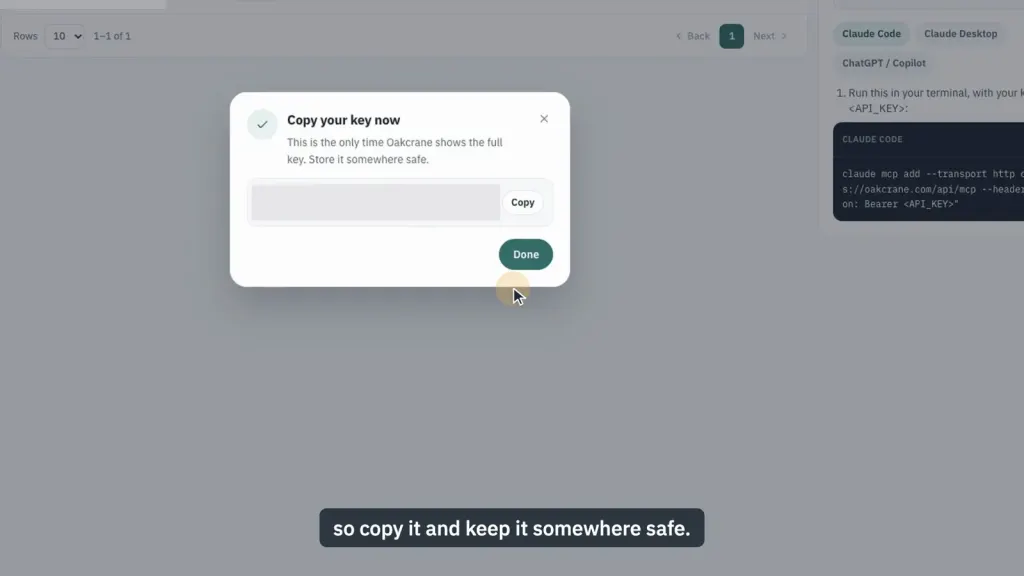
The Copy your key now dialog shows the full key. This is the only time Oakcrane shows it. Click Copy, store it somewhere safe like your password manager, then click Done.
After that, the list only shows a short hint of each key, its status, when it was last used and when it expires.
6. Connect your AI tool
The Connect your AI panel on the right has the MCP server address to use, with a Copy button. Oakcrane is an MCP server: point your AI tool at that address and send your key as a Bearer token.
Pick a tab for exact setup steps:
- Claude Code: a one-line command to run in your terminal.
- Claude Desktop: a config block to add under Settings, Developer, Edit config.
- ChatGPT / Copilot: add a remote MCP server in the tool's connector settings with the address and the Authorization header.
Put your key in place of
<API_KEY>in each snippet.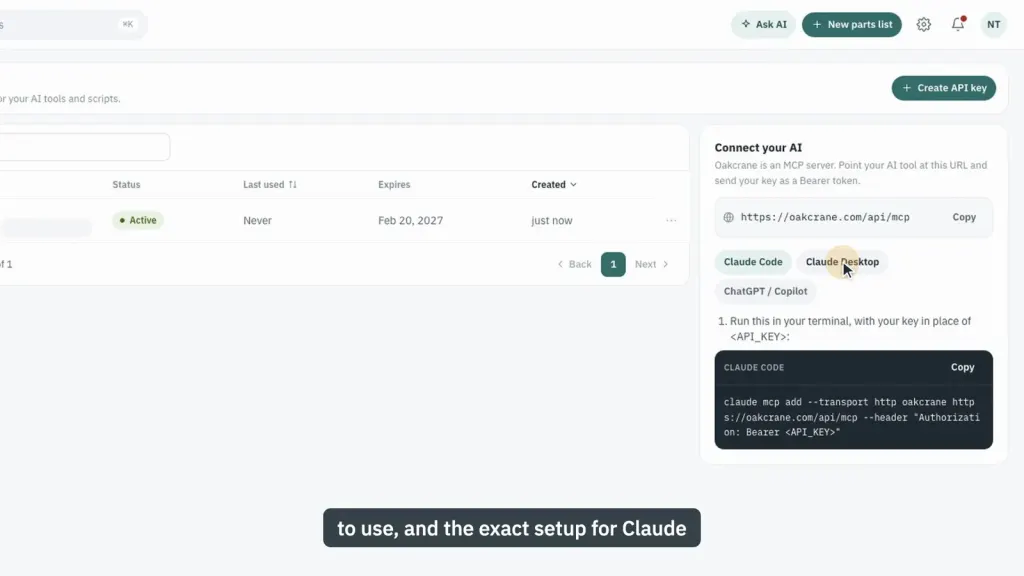
7. Revoke a key
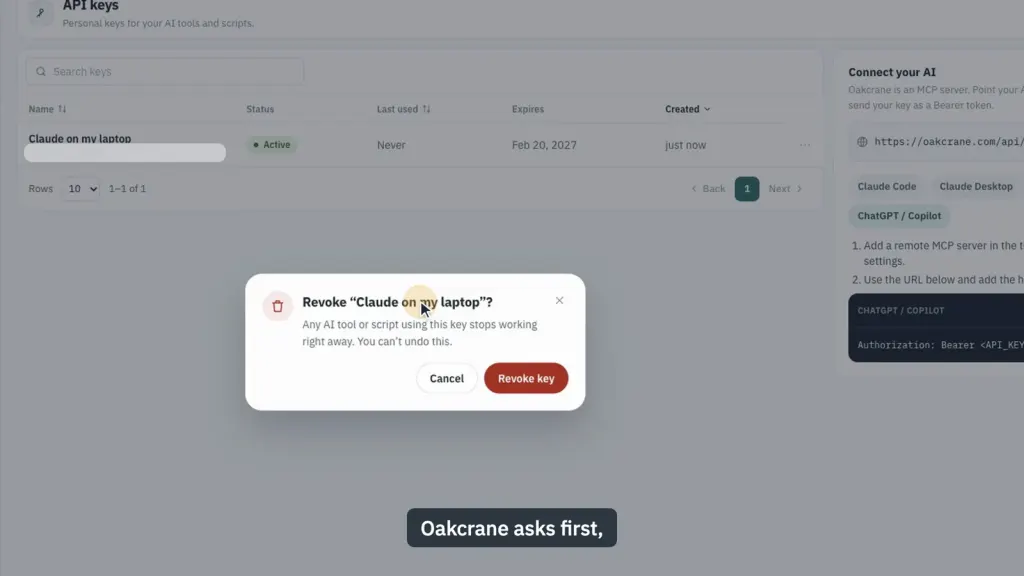
Done with a key? Open the menu at the end of its row and choose Revoke. Oakcrane asks first, because any AI tool or script using it stops working right away and you can't undo it. Click Revoke key to confirm.
Tips
- Make one key per device or tool, so you can revoke one without breaking the others.
- Set an expiry for keys used in scripts or shared machines.
- If a teammate needs AI access, they create their own key. It follows their role, not yours.
Questions
Can an API key do more than I can in the app?
No. A key acts as you, with your current role. If your role can't send to the PSA, neither can your key. Permission changes apply to keys too.
I lost my API key. Can I see it again?
No. Oakcrane only shows the full key once. Revoke the old one and create a new key.
Do I pay per user?
No. Every plan has unlimited users. Plans differ by distributors, PSA connections, watched quotes, in-app requests and deal-reg pricing.
Which AI tools work with an Oakcrane API key?
Any tool that supports remote MCP servers with a Bearer token. The Connect your AI panel has setup steps for Claude Code, Claude Desktop, ChatGPT and Copilot.
Transcript
0:03Two last settings.
0:05Billing and plan shows what you're on, and what you've used.
0:09API keys let your AI tools and scripts work in Oakcrane, as you.
0:16In Settings, open Billing and plan.
0:19Here's your current plan, any trial days left, and your usage, like connected distributors and in-app requests this month.
0:26There are two plans, Starter and Pro, billed monthly or year clearly.
0:31Every plan has unlimited users, and invoices show up below after your first payment.
0:39Now, API keys.
0:41Each key acts as you, with your role.
0:44So a read-only member's key can't send.
0:50Give it a name, and pick when it expires.
0:53The full key shows only once, so copy it and keep it somewhere safe.
1:03The Connect your AI panel has the address to use, and the exact setup for Claude Code, Claude Desktop, Chat GPT, and Copilot.
1:12Done with a key?
1:14Revoke it.
1:14Oakcrane asks first, because anything using it stops working right away.


