
Step by step
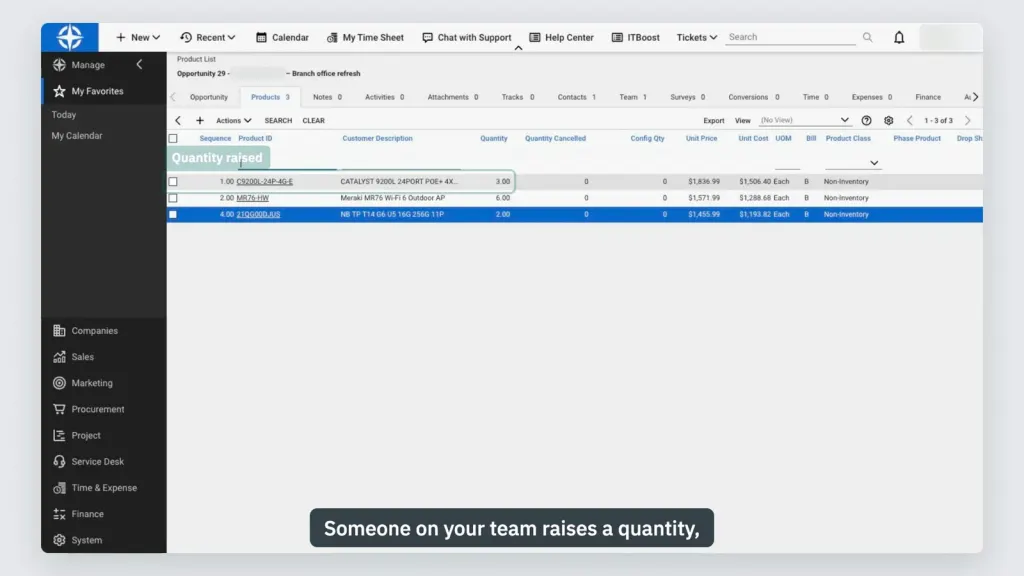
1. Someone edits the quote in your PSA
A teammate opens the opportunity in ConnectWise or the deal in HubSpot. They raise a quantity, add a laptop and remove the monitors. They don't need to touch Oakcrane.
2. Open the linked parts list
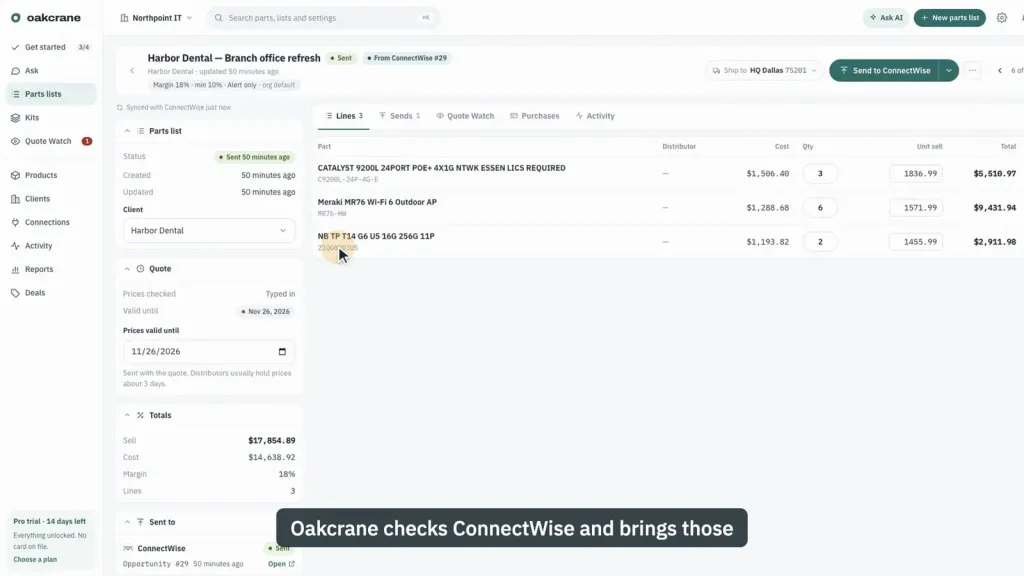
Open the linked parts list in Oakcrane. Oakcrane checks your PSA and brings the changes in. A line under the list header says Checking ConnectWise for changes…, then Synced with ConnectWise and when.
Linked lists also sync at every Quote Watch check, so they stay current even when nobody opens them. HubSpot deals also send changes to Oakcrane as they happen.
3. Spot a conflict
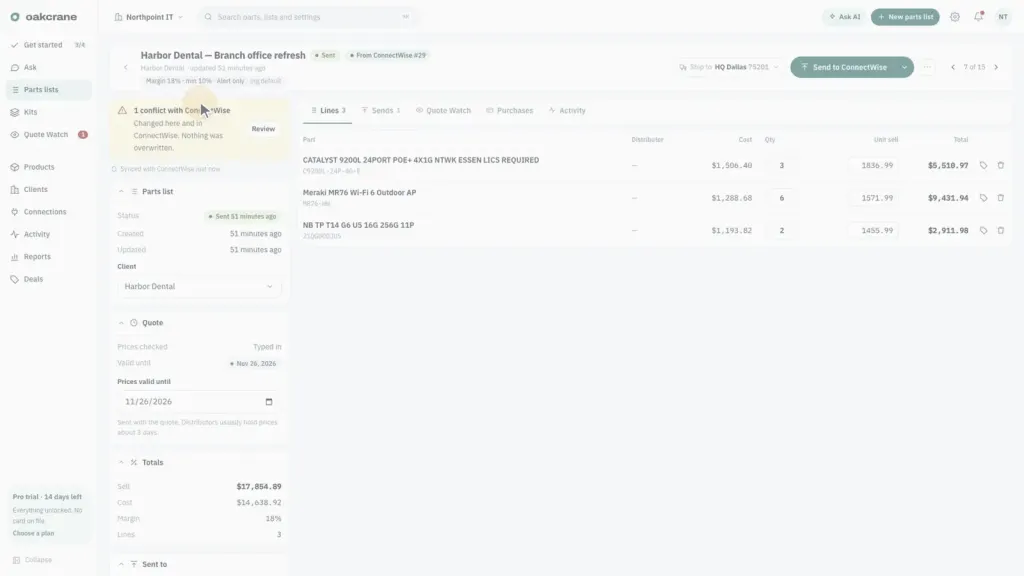
If the same line changed in Oakcrane and in your PSA since the last sync, Oakcrane never overwrites either side. A notice appears on the list, such as 1 conflict with ConnectWise: "Changed here and in ConnectWise. Nothing was overwritten." Click Review.
4. Pick a version for each line
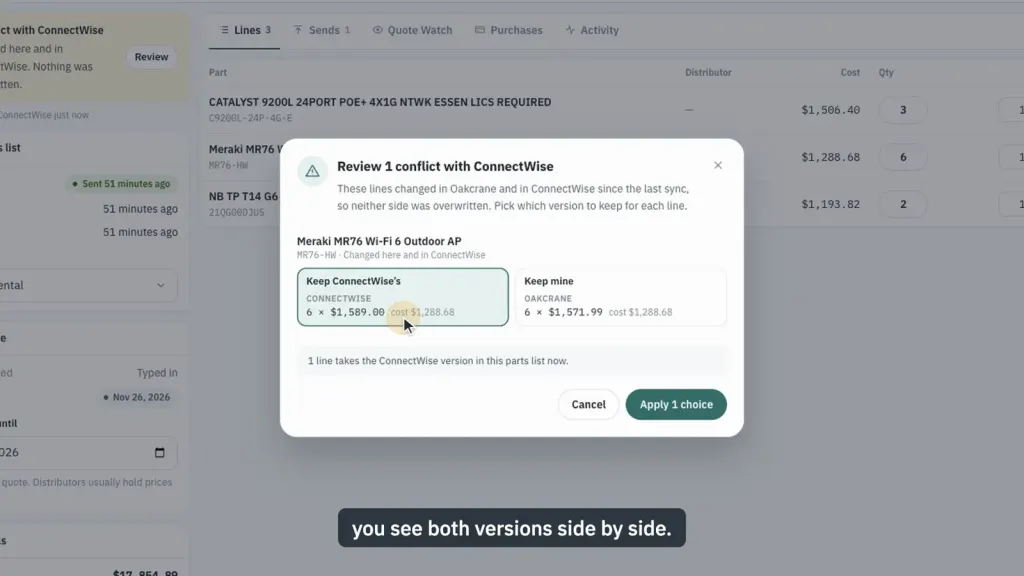
The Review 1 conflict with ConnectWise dialog shows both versions side by side, with quantity, price and cost.
- Keep ConnectWise's takes the PSA version.
- Keep mine keeps the Oakcrane version.
Pick one for each line, then click Apply 1 choice.
5. Confirm
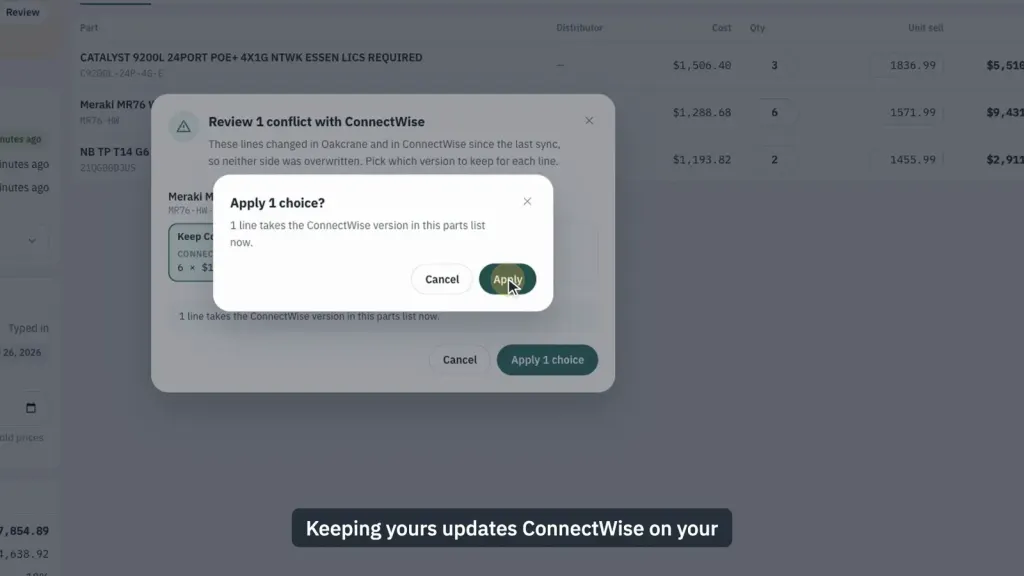
A confirm dialog tells you what will happen. Keeping theirs updates the parts list now. Keeping yours updates ConnectWise on your next send. Click Apply.
6. Send your changes back
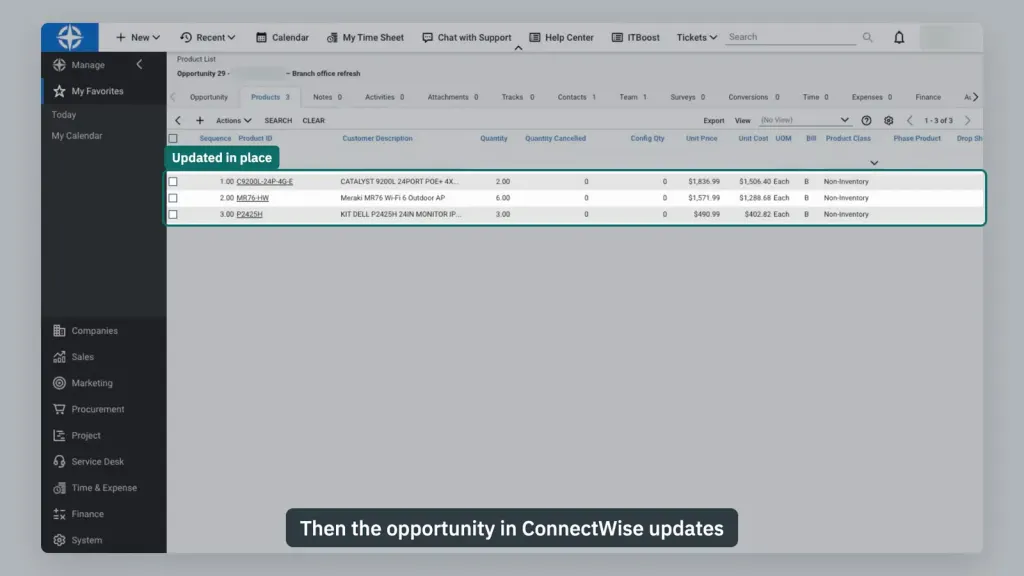
When you send again, the preview shows every change first. If a conflict is still open, the preview warns you that sending replaces the PSA version of those lines, with a Review button. Send, and the opportunity in ConnectWise updates in place.
Tips
- When a deal is won or lost in your PSA, Oakcrane marks the list too and Quote Watch stops for it.
- Lines someone adds by hand in the PSA are left alone when you resend.
- Bring in quotes that already exist in your PSA with Find quotes, so they are linked and watched too.
Questions
Does Oakcrane ever change my PSA on its own?
Not from sync. Changes go from Oakcrane to your PSA only when you send and confirm, or when you have turned on automatic mode for margin fixes.
How quickly do PSA changes show up in Oakcrane?
When you open the linked list, and at every Quote Watch check. HubSpot deals also push changes to Oakcrane as they happen.
What counts as a conflict?
A line that changed both in Oakcrane and in your PSA since the last sync. Oakcrane keeps both versions until you pick one.
Transcript
0:03Every PSA quote in Oakcrane is one parts list, linked both ways.
0:08Here's how the two sides stay in step.
0:11Changes in your PSA flow into Oakcrane automatically.
0:15Changes in Oakcrane go to your PSA only when you send, after a preview.
0:22Here's the opportunity in ConnectWise.
0:24Someone on your team raises a quantity, adds a laptop, and removes the monitors.
0:31Back in Oakcrane, open the linked parts list.
0:34Oakcrane checks ConnectWise and brings those changes in.
0:38Linked lists also sync at every Quote Watch check, so they stay current even when nobody opens them.
0:46Now, what if the same line changed in both places?
0:50Oakcrane never overwrites either side.
0:52It flags a conflict.
0:54Choose Review.
0:56For each line, you see both versions side by side.
1:00Keep the ConnectWise version, or keep yours.
1:03Apply, and confirm.
1:05Keeping theirs updates the parts list now.
1:07Keeping yours updates ConnectWise on your next send.
1:13When you send again, the preview shows every change first.
1:17Then the opportunity in ConnectWise updates in place.
1:21Both sides stay in step, and nothing is overwritten without you.


