
Step by step
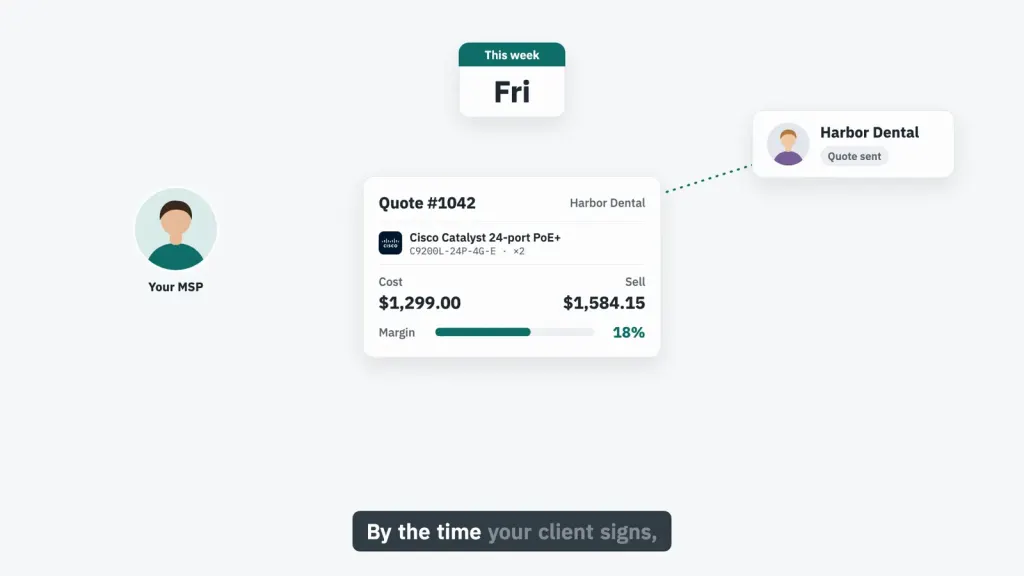
1. The problem: prices move after you quote
You check your distributors, build the quote and send it to your client. But distributor costs change every day. By the time the client signs, the cost may have gone up. By the time you send the purchase order, it may have gone up again.
The quote stays the same, so the difference comes out of your margin.
2. Connect your distributors and your PSA
Oakcrane works with your own accounts. You connect Ingram Micro, TD SYNNEX and D&H with your API keys, and you connect ConnectWise or HubSpot.
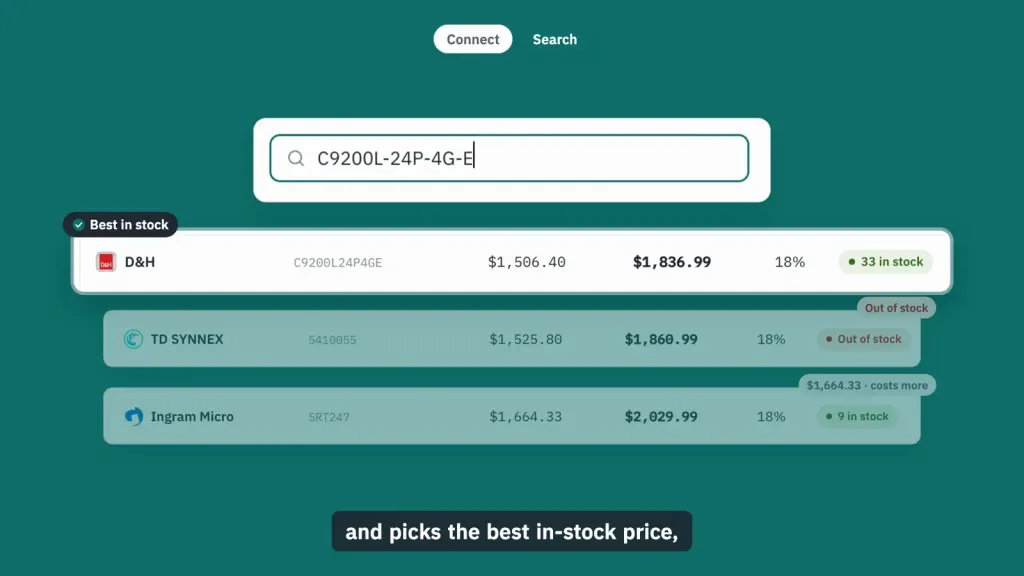
3. One search across every distributor
Search by part number or describe what you need. Oakcrane checks every connected distributor at once and shows cost, your sell price and stock side by side. It points out the best in-stock price at the margin you set.
If you already have open quotes in your PSA, Oakcrane can import them into one place too.
4. Build a parts list, or just ask
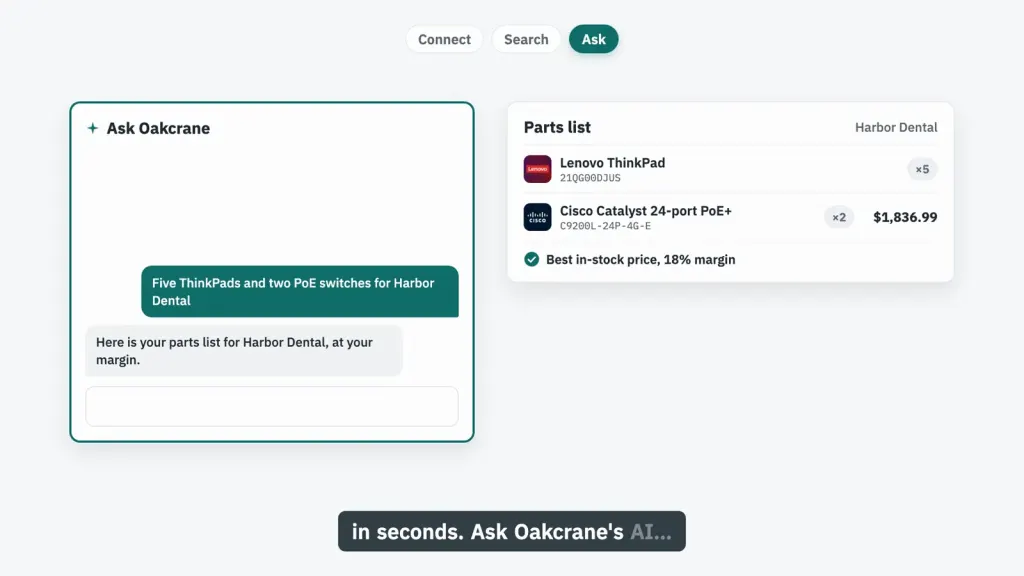
Add parts to a parts list by hand, or ask in plain words. For example: "Five ThinkPads and two PoE switches for Harbor Dental." Oakcrane's AI builds the list with in-stock prices at your margin.
You can also ask from Claude or ChatGPT once you add the Oakcrane connector. See Build a list with Ask AI and Oakcrane in Claude and ChatGPT.
5. Send it to ConnectWise or HubSpot
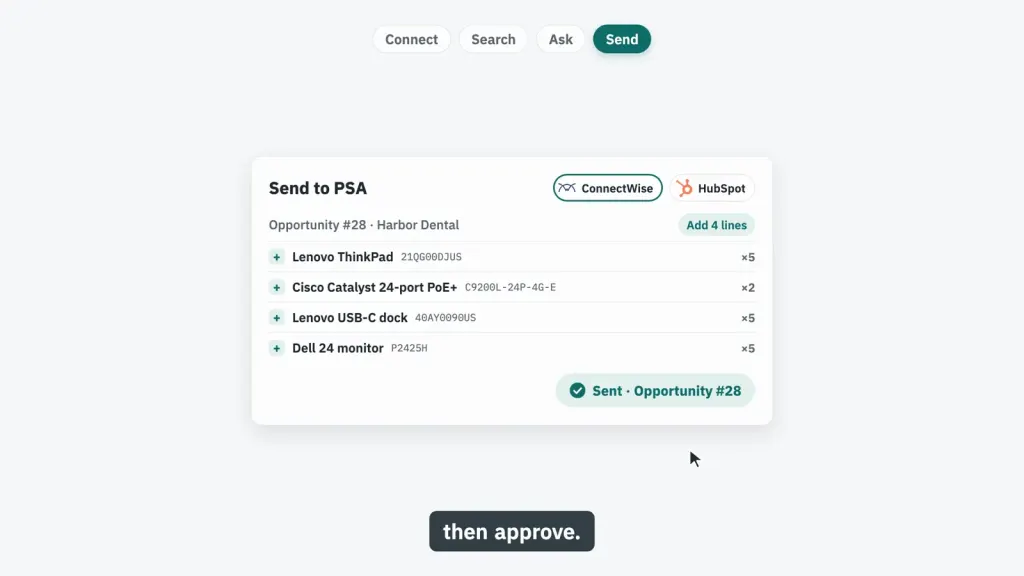
When the list is ready, send it to your PSA. Before anything is written you see exactly what will be added, and you approve it. The lines land on a ConnectWise opportunity or a HubSpot deal, where you build the customer quote as usual.
See Send to your PSA.
6. Quote Watch keeps checking
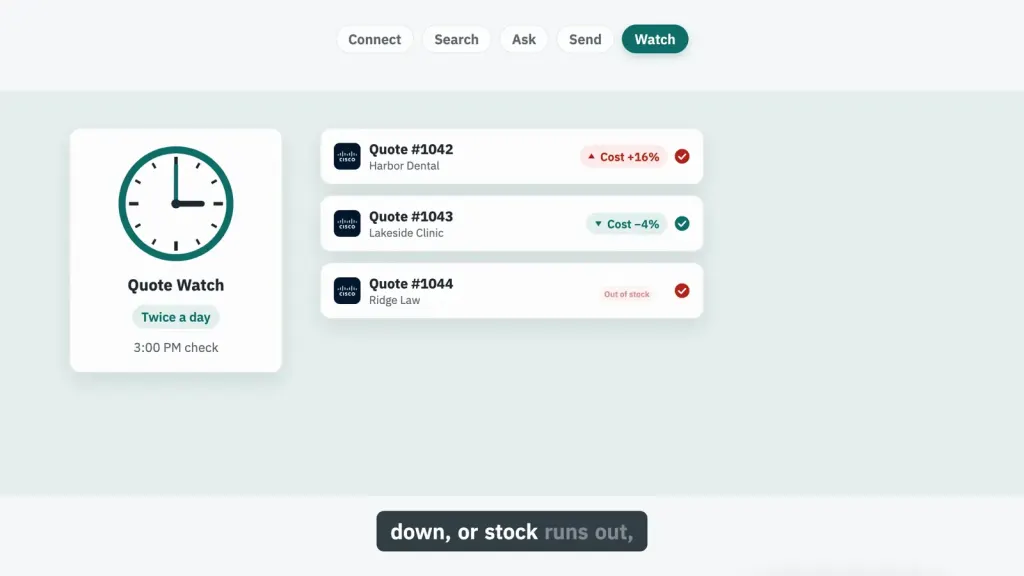
After a list is sent, Quote Watch re-checks every open quote twice a day. If a cost goes up or down, or stock runs out, Quote Watch raises an alert with a suggested fix and emails you about it.
See Quote Watch.
7. Fix it in one click, or let it run
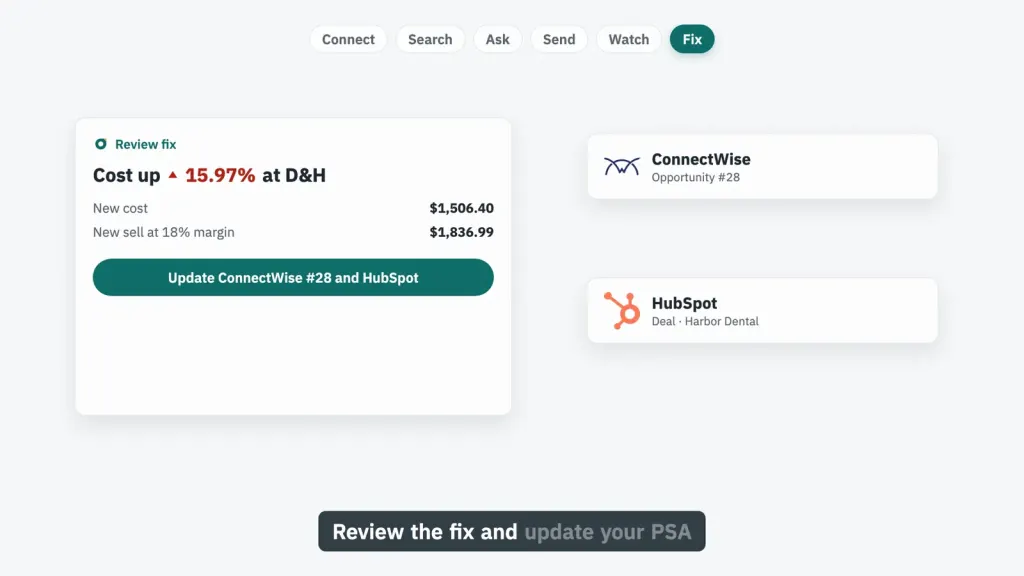
Review the suggested fix and update your PSA with one click. You confirm before anything changes.
Or turn on automatic mode with the minimum margin you want. Oakcrane then updates the quote and sends the change to your PSA for you. See Automatic mode.
Tips
- Start with your distributors. Search, parts lists and Quote Watch all depend on live cost and stock from your own accounts.
- Already quoting in your PSA? Import your open quotes first so Quote Watch starts protecting them on day one.
Questions
Is Oakcrane a quoting tool?
No. Oakcrane finds the hardware, prices it at your margin and builds the parts list. You still build the customer quote in your PSA after the list is sent.
Does Oakcrane use its own pricing?
No. It reads live cost and stock from your own Ingram Micro, TD SYNNEX and D&H accounts, so you see the prices you actually pay.
Can Oakcrane change a quote without me knowing?
Only if you turn on automatic mode and set a minimum margin. Otherwise every send and every fix shows a preview and waits for you to confirm.
Transcript
0:00Every MSP sells hardware.
0:03You check Ingram, TD SYNNEX, D&H, and ScanSource, build the quote wherever you build it, and send it to your client.
0:12But prices move every day.
0:14By the time your client signs, the cost has gone up.
0:17By the time you send the PO, it's gone up again, and your margin quietly disappears.
0:24Until now, meet Oakcrane, your hardware sourcing assistant that watches every quote.
0:32It's simple.
0:33Connect your distributors and your PSA, ConnectWise, HubSpot, or Autotask.
0:39Oakcrane syncs your open quotes into one place, checks every distributor at once, and picks the best in-stock price at the margin you want.
0:49Or just ask, five ThinkPads and two PoE switches for Harbor Dental.
0:54Your parts list is ready in seconds.
0:57Ask Oakcrane's AI, or ask right from the Claude you already use.
1:02Send it to ConnectWise or HubSpot.
1:04You see exactly what changes, then approve.
1:07Then Oakcrane keeps watching.
1:10Twice a day, it rechecks every open quote.
1:13And if a price goes up or down, or stock runs out, it emails you right away.
1:18Review the fix and update your PSA in one click.
1:22Or turn on automatic mode with the minimum margin you want, and Oakcrane updates the quote and sends it to your PSA for you.
1:30Already have open quotes?
1:32Oakcrane imports them from your PSA and starts watching right away.
1:38Ready to stop losing margin after you quote?
1:41Go to oakcrane.com.
1:43And still filing deal registrations by hand?
1:46Stay tuned.
1:48Oakcrane will spot deal registration opportunities in your open quotes, file them for you, update your quote with the new margin, and let you know.
1:57So you're always on top of your margin game.


